
Skip to content
Memories Book

Guide

How to write and organize a family history book people can follow

Readers need to know who a person is, where they fit, and why the next photo or story belongs in that section. A simple person-by-person structure solves most of the problem.

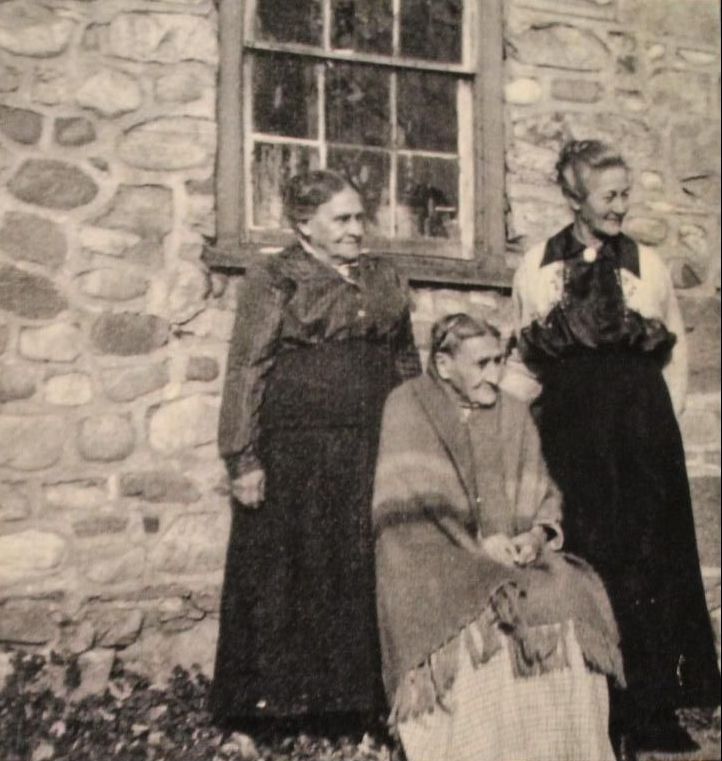
An ancestor portrait used to organize a family history section
Photos and stories from your treeShown with the people they belong to
Begin with a clear family branch
Keep each person's material together
Use dates and places to explain sequence
Separate known facts from family recollection

Choose an organizing rule

A family history book can move by generation, by couple, or by one person's life. Pick one rule and use it consistently. Memories Book uses the family tree and person sections to give the reader a repeatable structure.

A branch book often begins with the starting person, then moves through parents and earlier generations. A single-ancestor book can spend more space on that person's own photographs and stories.

Give every section enough context

Use a full name, lifespan, and family relationship near the start. Then place photographs, written memories, and documents with that person. Captions should say who, where, or when when the information is known.

Do not fill gaps with guesses. If a date is uncertain, keep the uncertainty visible in FamilySearch before building the book.

Write stories in a human voice

A useful family story states what happened, who was present, and how the teller knows. Preserve distinctive phrases when a relative's wording carries the memory. Cut repeated background that already appears elsewhere in the section.

Short stories are welcome. A paragraph about a habit, a job, a house, or a family trip can explain a photograph better than a broad life summary.

Edit for the reader, not for total coverage

Check whether the same event appears in several memories. Keep the strongest account and useful supporting documents. A focused book can link relatives to the larger FamilySearch tree without reproducing every item in one volume.

From tree to book

Three steps from your tree to a finished book

1

Connect FamilySearch

Sign in and choose the person and generations for the book.

2

Generate the pages

Memories Book gathers supported memories and organizes them by person.

3

Review your book

Read the finished pages and make sure the people, stories, and photos feel right.

Questions

What to know before you start

Should a family history book be chronological?

Chronology helps within a person's section, but the whole book can also be organized by generation or family branch. Consistency matters more than one required method.

How do I handle conflicting dates?

Review the sources in FamilySearch and leave uncertainty visible until evidence supports a correction. Do not choose a date only because it makes the page look cleaner.

Do I need a long biography for every person?

No. Some people will have only a few details or photographs. Keep the available material accurate and let richer profiles take more space.

Ready to see what is in your tree?

Build your first family history book

Start with a small branch and see the photos and stories your family has already saved.

Sign In with FamilySearch